
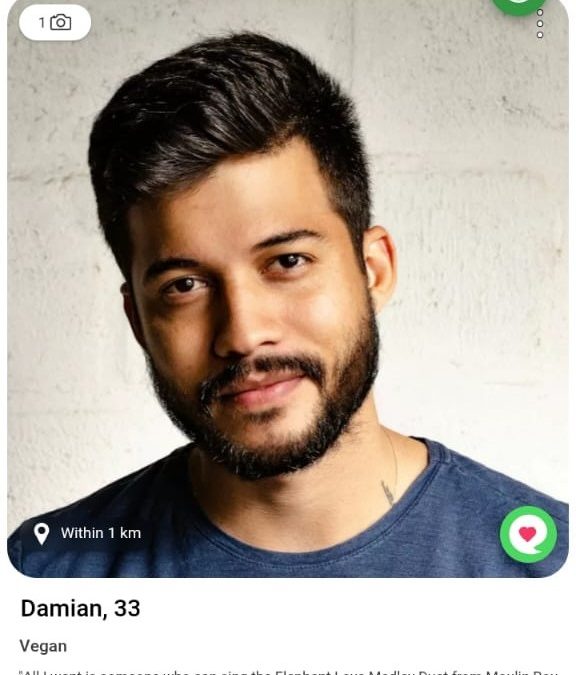
Sometimes, a profile catches your attention and you want to say a little more than just “like.” That’s where Compliments come in! With our new Compliment feature, you can send a personal message directly on someone’s photo and let them know they caught your eye. It’s a simple way to make the first move and increase your chances of a VegMatch.
Already have a VegMatch and want to get a conversation going? Compliments are FREE to send to your VegMatches!
How do Compliments work?
If you want to send a Compliment to someone you haven’t matched with yet, you can send a message for 1 Carrot. The message will appear in their chat list, where they can choose to like your profile and continue the conversation for free.
Sending a Compliment will automatically Like the person’s profile, if you haven’t yet.
If they haven’t liked you yet, they’ll see a message inviting them to like your profile to continue the conversation for free. They can also choose to reply without liking the profile, using 1 Carrot.
Your Compliments to your VegMatches are free.
How to Send a Compliment on Veggly
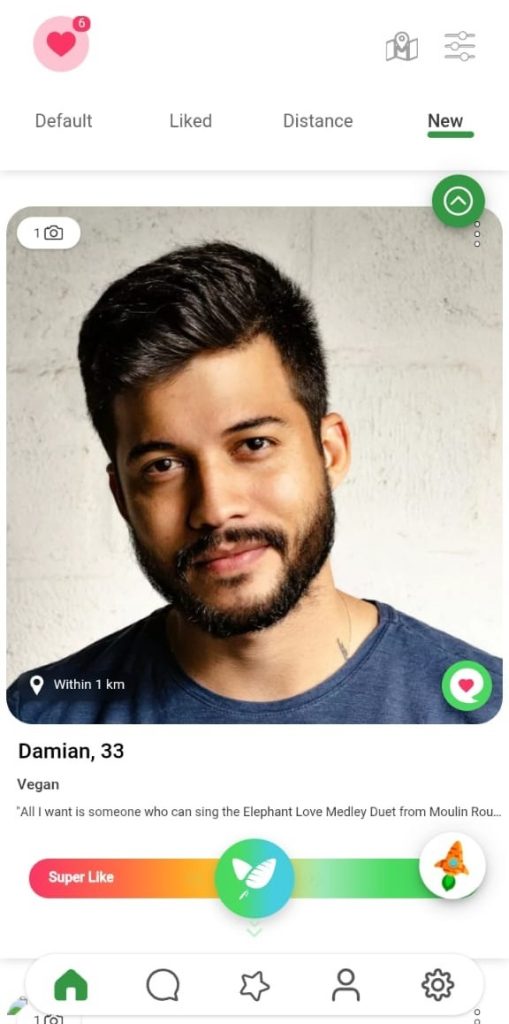
- Browse profiles: Go to the feed and find the person you want to send a Compliment to.
- Tap the Compliment icon: On their profile photo, tap the green speech bubble with a heart in the bottom-right corner.
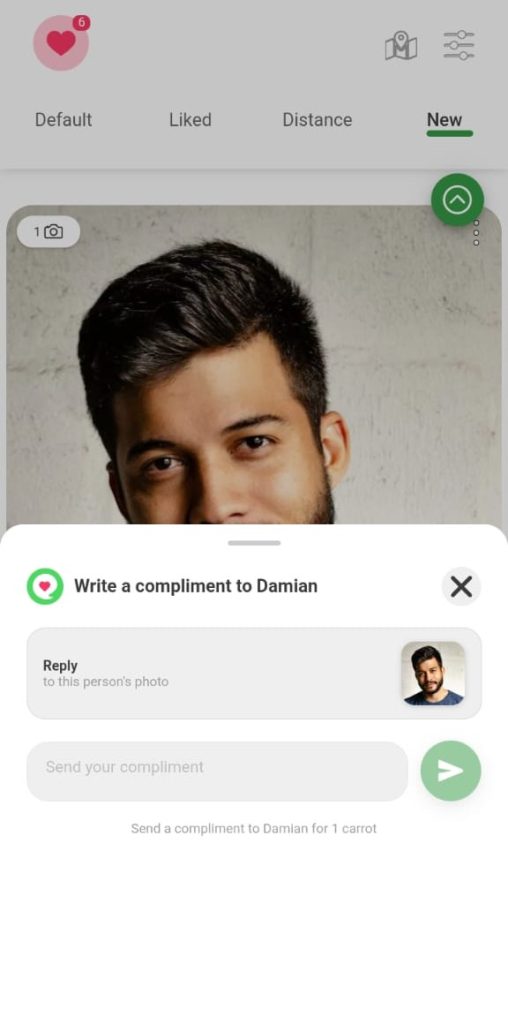
- Write your Compliment: A “Write a compliment” window will appear. Enter your message in the “Type your compliment” field.
- Send it: Tap the green send button (arrow icon).
Where Can the Sender See a Sent Compliment?
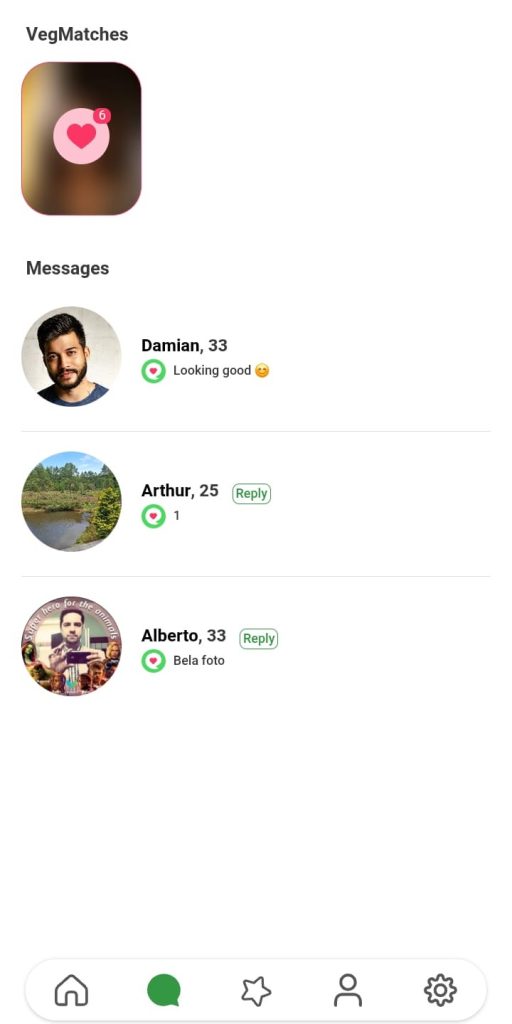
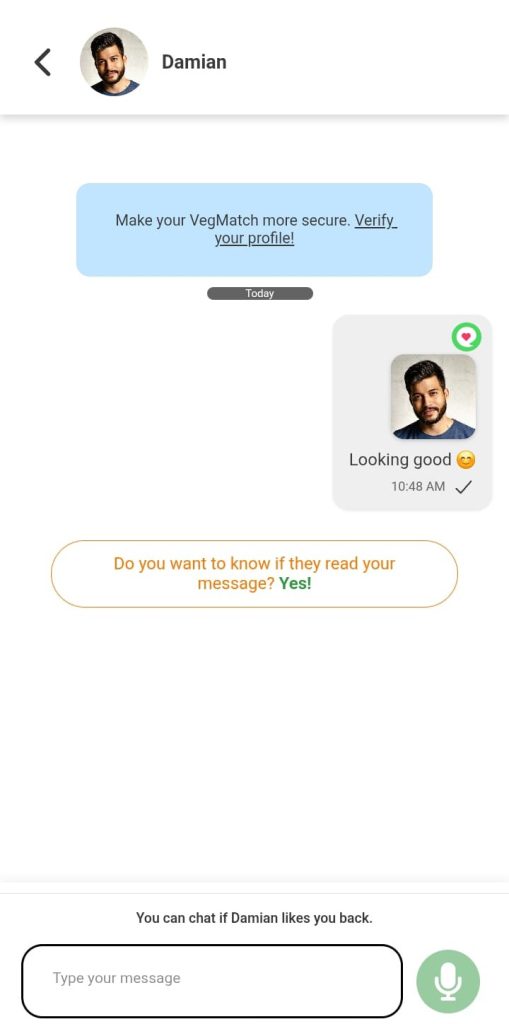
After you send a Compliment, you can find it in your Messages tab:
- In the message list: The person’s profile will appear in your Messages, with your Compliment shown as a preview below their name.
- Waiting for a response: At the bottom of the conversation, you’ll see “You can chat if [Name] likes you back.” This means regular chatting will become available if they like you back.
Where Does the Recipient See the Compliment?
The person receiving your Compliment will receive an email and a push notification. In the app, they will see it directly in their Messages tab:
- In the message list: Your profile will appear with a green speech bubble icon and a preview of your Compliment.
- Inside the chat, a button to Like the other profile will appear. They can like back to continue the conversation for free.
What’s changing with Super Likes?
SuperLikes are getting a little simpler. SuperLikes will no longer include a message. If you want to add a personal note to someone, you can now use a Compliment instead.
This gives you two different ways to stand out: use a SuperLike to show someone you’re especially interested, or send a Compliment when you want to add a personal message.
Update Veggly to the latest version and start using Compliments! 💚
Don’t miss the Veggly Blog
As Veggly grows further, make sure you stay up to date and read messages from vegan and vegetarian users who found love among the community – all on this page here.
Stay up to date with all of our announcements, other news stories, blog posts, and recipes by following Veggly across our social channels: